DDS for GIMP (Mountain Lion, Native, no X11 GUI)
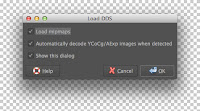
I compiled gimp-dds for GIMP 2.8.6 for Mountain Lion (native). dds (plug-in binary file, 113 KB): https://docs.google.com/file/d/0B5GXgEJZQv74Z1FCbkk0c0VqMkE/edit?usp=sharing GIMP (without extra plug-ins): http://www.gimp.org/downloads/ GIMP (with extra plug-ins): http://gimp.lisanet.de/Website/Download.html Well, latter already has this DDS plug-in, but my compiled version is much newer (from gimp-dds-2.2.1). Put the binary file under the following directory (Gimp installation path may differ, so check yours): /Application/Gimp.app/Contents/Resources/lib/gimp/2.0/plug-ins/ Tips: From Finder, Cmd + N to open a new window, Cmd + Shift + G to pop an input dialog, then put the path mentioned above; then you can put the binary file. You can do the similar by right clicking Gimp.app to select "Show Package Contents" . Loading option dialog Mipmaps as layers Main surface texture